
If you’re trying to decide between the Apple MacBook Pro and MacBook Air, you’re not alone. I’ve spent years using both lines of MacBooks for everything from work and creative projects to daily web browsing.
Each series has its own feel and purpose. Picking the right one comes down to understanding exactly what fits your everyday use, your performance expectations, and your budget.
Below, I’ll break down the MacBook Pro and MacBook Air lineup I am familiar with. I’ll show the models available, their key technical specs, where they shine, and where they might fall short.
I’ll also cover how long you can expect each to last, which models have built-in AI features. We’ll even check out some personal insights based on real usage.
MacBook Air and MacBook Pro Models I am familiar
Here you can find two main MacBook Air models and five MacBook Pro models. Here’s what I’m seeing offered at Apple and major retailers:
- MacBook Air M4 (13-inch) (2025 release)
- MacBook Air M4 (15-inch) (2025 release)
- MacBook Pro M5 (14-inch) (2025 release)
- MacBook Pro M4 Pro (14-inch) (2024 release)
- MacBook Pro M4 Max (14-inch) (2024 release)
- MacBook Pro M4 Pro (16-inch) (2024 release)
- MacBook Pro M4 Max (16-inch) (2024 release)

Apple stopped selling Intel-based MacBooks and earlier Apple Silicon (M1) models in major markets at the end of 2025. You can still track down some refurbished or through resellers, but most users will be looking at the latest silicon options.
You can find the full, official spec breakdown on Apple’s comparison page, but I’ve gathered my hands-on impressions and notes on what actually matters in everyday use. Those differences will help you spot the right pick for what you actually do with your laptop.
MacBook Air Models (M4 Series): Specs, Pros, and Cons
MacBook Air M4 (13-inch & 15-inch)
CPU: Apple M4 (10-core CPU, up to 10-core GPU)
RAM: 16GB (configurable to 24GB or 32GB)
Storage: 256GB – 2TB SSD
Display: Liquid Retina, 2560×1664 (13.6”) / 2880×1864 (15.3”)
Weight: 2.7 lbs/1.24kg (13”) / 3.3 lbs/1.51kg (15”)
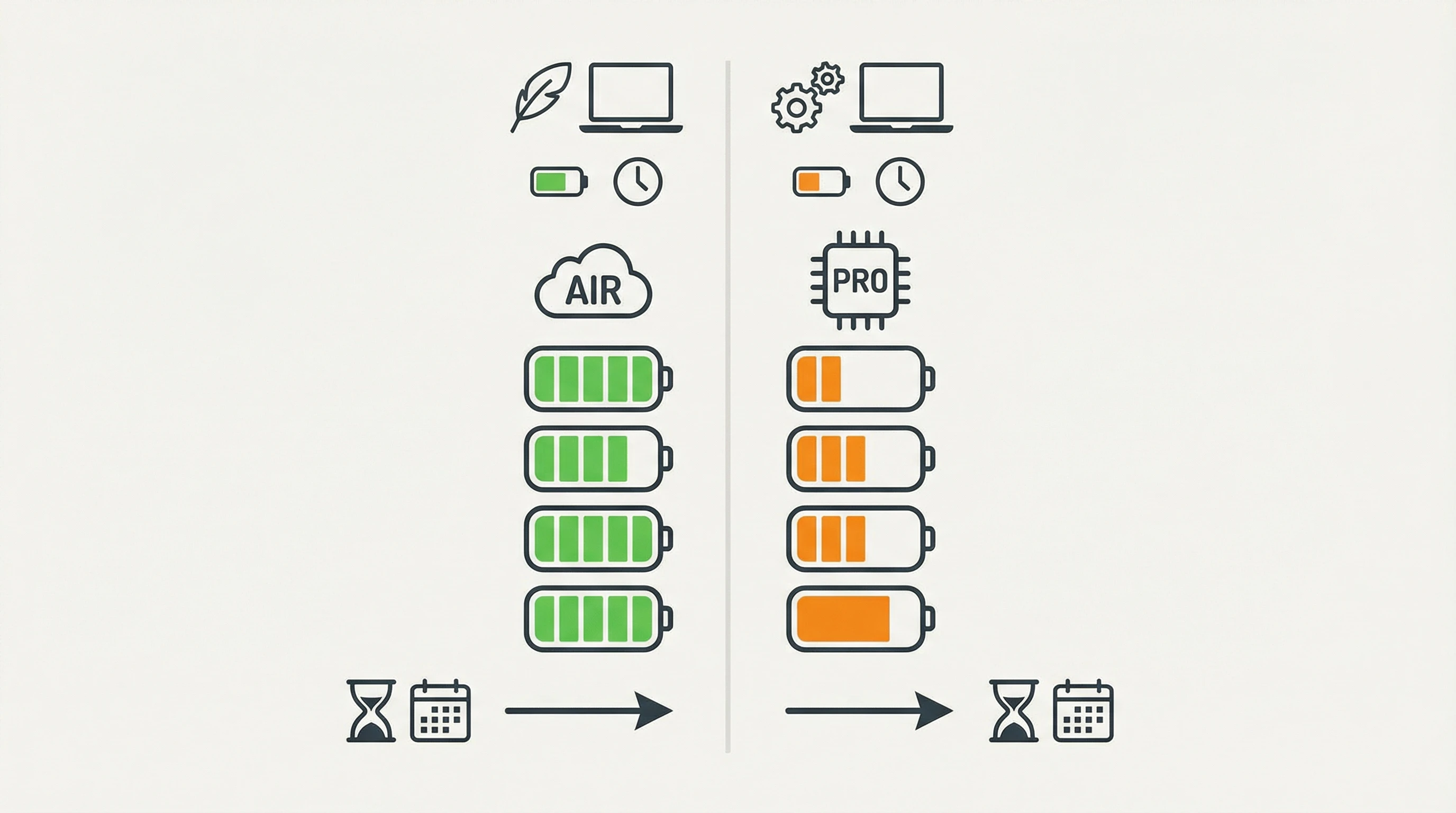
Battery: Up to 18 hours
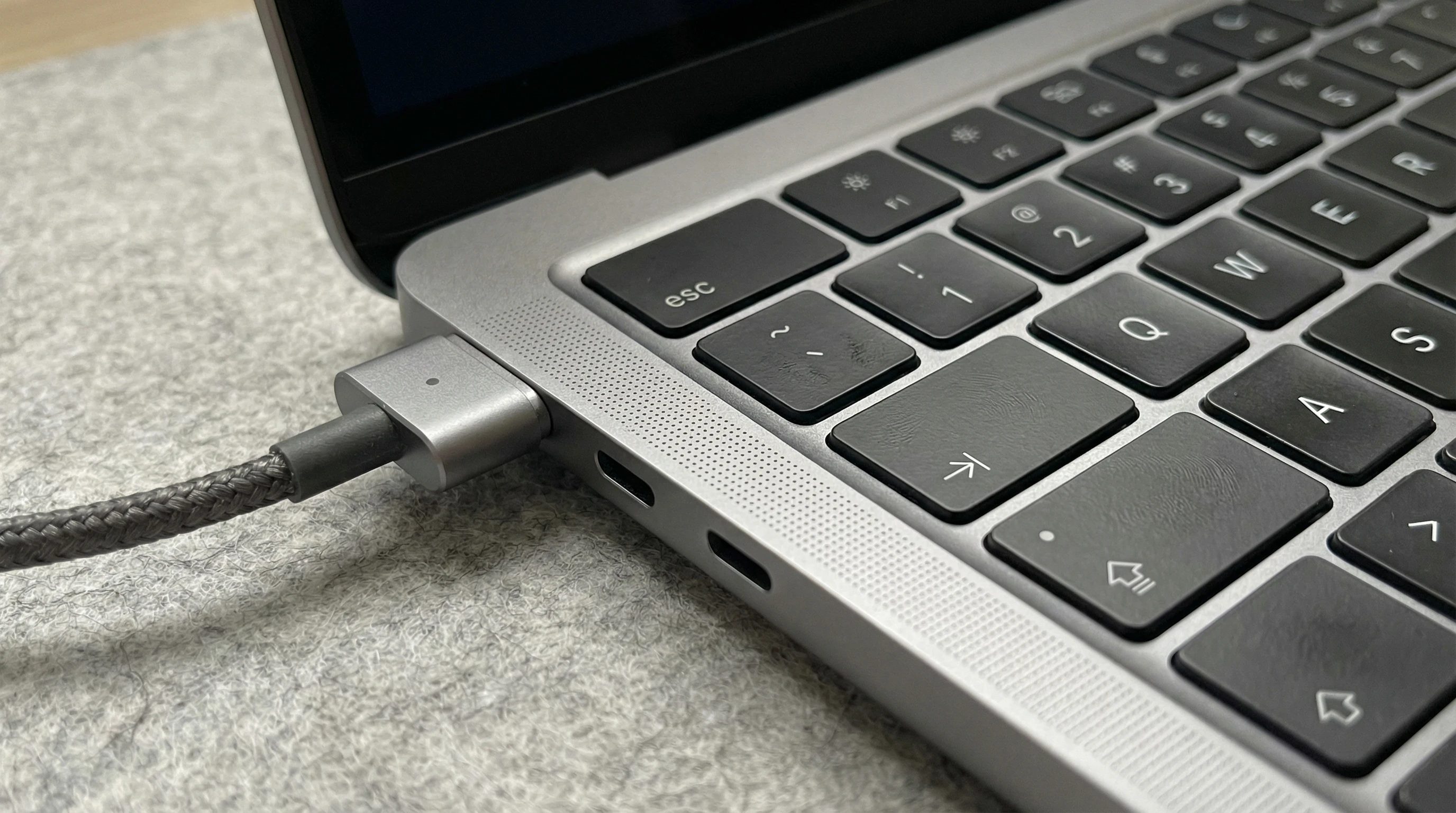
Ports: 2x Thunderbolt 4/USB -C, MagSafe 3 charger, 3.5mm headphone jack
Other features: 12MP Center Stage camera, Four-speaker sound system, Three-mic array
What I like:
- Feels featherlight in a backpack or even under your arm, making commutes super easy.
- Runs silently (no fan inside), so it doesn’t distract you or overheat when you push it.
- The display is clear and bright for media and work—colors look nextlevel cool for Netflix, browsing, or presentations.
- M4 chip handles daily tasks, multitasking, and photo/video edits much faster than older Airs.
- Battery lasts all day and often through half of another day, so charging is a worry you can forget.
- Very reliable for productivity, study, email, and even some heavier creative work or streaming.
- Super portable, especially the 13-inch version. I love how light it feels on the go.
What I don’t like so much:
- Not built for very heavy graphics or constant video editing; performance drops if pushed hard for hours.
- Screen refresh rate is 60Hz, which means fast gaming doesn’t look as smooth as Pros.
- 16GB RAM version can sometimes slow down with big creative projects or if you run a lot of Chrome tabs.
- Only two Thunderbolt ports, so bringing a USB hub is a must for creative setups.
MacBook Pro Models (M5, M4 Pro and Max Series): Specs, Pros, and Cons
MacBook Pro M5 (14-inch)
CPU: Apple M5 (10-core CPU, 10-core GPU)
RAM: 16GB (configurable to 32GB)
Storage: 512GB SSD
Display: Liquid Retina XDR, 3024×1964 pixels, ProMotion (120Hz)
Weight: 3.5 lbs
Battery: Up to 24 hours
Ports: 3x Thunderbolt 4/USB-C, HDMI, SDXC card slot, MagSafe charger, headphone jack
What I like:
- Brighter display, with deep contrast and higher refresh rate—text and motion look very smooth, even more than you’d expect.
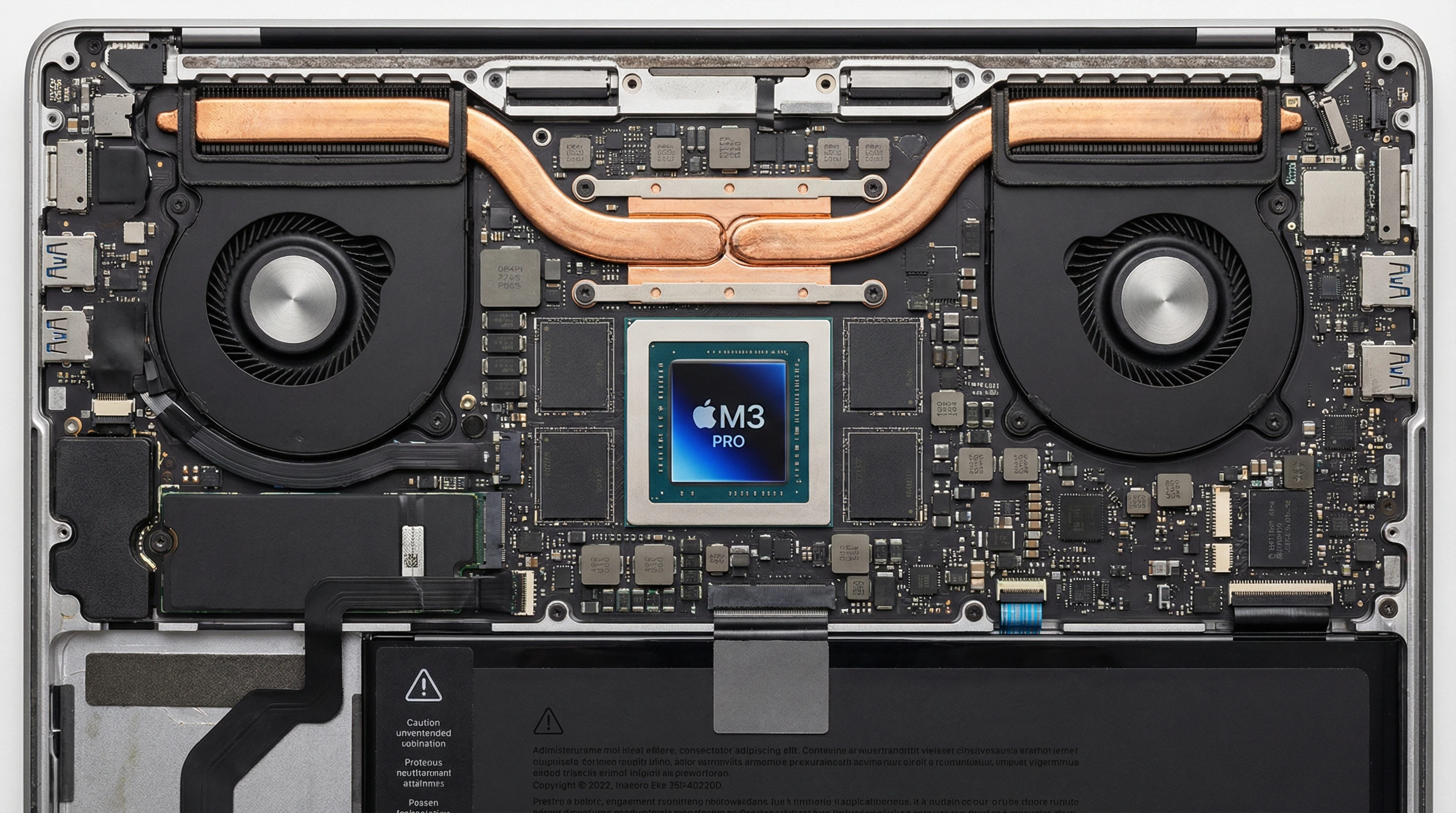
- Has a fan so you can run demanding tasks like video exports longer without performance drops.
- Extra ports are really handy for HDMI displays or SD cards; photographers especially will love the SD reader.
- M5 chip with improved neural engine handles current macOS AI features with ease.
What I don’t like so much:
- Heavier and bulkier than the Air models; maybe not what you want for everyday travel.
- Starting price is much higher than the Air for most people, so budget is a real consideration.
MacBook Pro M4 Pro/Max (14-inch & 16-inch)
CPU: Apple M4 Pro/Max (up to 12-core CPU, up to 40-core GPU on Max)
RAM: 18GB, 36GB, 48GB, 64GB, or 128GB (depends on chip and config)
Storage: 512GB to 8TB SSD
Display: Liquid Retina XDR, 14.2” (3024×1964) or 16.2” (3456×2234), 120Hz
Weight: 3.6–4.7 lbs
Battery: Up to 22 hours on 16-inch
Ports: 3x Thunderbolt 4, HDMI, SDXC card slot, MagSafe charger, headphone jack

What I like:
- This is the fastest MacBook ever for creative pros, coders, scientists, media teams, or anyone using massive spreadsheets.
- Handles 8K video editing, AI training, 3D work, and music production without trouble; barely gets warm most of the time.
- Best display I’ve ever used on a laptop—especially for video and color work. The visuals will blow you away if you’re into that.
- SDXC card slot and three Thunderbolt ports make it friendly for pro photographers and videographers. No dongles needed most days.
- Battery life is remarkable for this kind of power—working all day unplugged is very possible.
Where it falls short:
- Most expensive by a wide margin, especially once you boost RAM and storage.
- Definitely the heaviest MacBook. Be sure you actually need that muscle before lugging it everywhere.
- Can get warm and fan noise is noticeable under heavy load like video rendering, but that’s the price of power sometimes.
- Not everyone needs this much power; easy to overspend for everyday needs.
Standard Life Span for Each Line: How Many Years Will You Get?
I’ve owned nearly every MacBook generation, and I see the typical lifespan is quite long if you treat your Mac well. Here’s what I’m seeing from both my experience and from users I work with:
- MacBook Air (M2/M3): Lasts 5–7 years for day-to-day productivity, school, content creation, and web use. You’ll see macOS updates for about that period. After that, performance and feature support slowly drop off.
- MacBook Pro (M3/Pro/Max): Lasts about 6–9 years for most uses, especially if you buy upgraded RAM and storage. Pro models hold up better under heavy work or pro software for a few years longer than the Air.
Most users will need a battery replacement or a new charger around year four or five. Screens and keyboards rarely fail unless you have a spill or hardware accident. One important note: Apple supports the Silicon MacBooks (starting with M1) much better than the old Intel ones—longer software and security updates mean each Mac lasts longer than ever.
Do Any MacBook Pro or Air Models Have Built-in AI Capabilities?
This year, AI features are front and center in macOS and Apple hardware. Here’s what’s really happening in terms of “AI” in the context of MacBooks:
- Neural Engine in M4 & M5 chips: Both MacBook Air and Pro models that use Apple silicon (M series) have a built-in Neural Engine. This hardware gives a boost to AI and machine learning features, making things feel extra snappy. But the M5’s neural engine is much faster than M4’s.
- macOS AI Features : macOS 15 “Goldcrest” and later include text generation, smart search, photo/image editing, and language help powered directly on-device. Spotlight can now summarize docs and emails using AI, and systemwide dictation is even smoother on M5 hardware.
- Third-party app support: New Macs run AI-powered photo, audio, and productivity tools much faster than older models. With M5, I see a real difference running apps from Adobe, Pixelmator, and DaVinci Resolve—processing gets done faster, and tasks don’t freeze as often.
If you want the latest AI features in the OS and apps, I’d lean toward an M5-based MacBook Pro. These models have the newest Neural Engine for running tasks on your computer without relying totally on the cloud.
Product Roadmap: What’s Next for MacBook Air and Pro?
Apple rarely spells its roadmap out, but if you check in on rumors, Apple’s past moves, and recent announcements, here’s what looks likely for newer models:
- Refresh cycles: Apple’s typical update pace is about every 18 months for Macs. Look for upgraded chips (possibly M5) in both Air and Pro models by the second half of new year. Timing your purchase around those announcements can be key.
- Advances in AI hardware: With the big push toward on-device generative AI (text, images, speech), the Neural Engine is expected to keep getting faster and more capable. Apple is betting hard on privacy by processing more personal data locally, not in the cloud.
- Display technology: MiniLED and ProMotion (120Hz) displays are now standard on all Pro models, and rumors are swelling about possible OLED options on deck for new models.
- Ports and design: Apple listens to feedback better than before. There’s been a return of SDXC card slots, HDMI, and MagSafe charging. They’re expected to keep smoothing the way with further refinements in weight, thickness, and battery longevity as new chips get more efficient.
- App ecosystem: Expect more apps to take advantage of Apple’s AI hardware—think enhanced creative tools, language assistants, and maybe even built-in video or music creation powered by generative AI.
Official details for new models, hardware changes, and major software versions are revealed at Apple events in spring and fall. If you’re eyeing a new MacBook and aren’t in a hurry, waiting for the annual event can land you the best price on last-gen models—or let you snag a first-issue upgrade as soon as it drops.
Which MacBook Is Right for You? (Decision Guide)
I get this question nonstop. Here’s how I help folks choose between MacBook Air and MacBook Pro, all based on actual use cases:
- You want something to write, browse, video call, or do some light photo editing: MacBook Air (M4, 13-inch) is perfect. It’s super portable and can handle every basic task easily.
- You connect to big monitors, want a sharper display, or regularly edit photos and videos: MacBook Air (M4, 15-inch) or entry MacBook Pro (M4, 14-inch) is a better fit. The Pro offers a brighter, smoother display and more ports.
- You rely on pro creative apps, do a lot of coding, handle massive datasets, or edit 4K/8K video: MacBook Pro (M4 Pro or Max, 14-inch or 16-inch) is worth it for the speed, memory, and screen quality. That’s what I choose for client video work or music projects.
- Budget is your main thing but you want to stay on a Mac: MacBook Air (M4, 13-inch) is still a solid choice. You’ll lose some AI and graphics features, but basic productivity is totally fine for years.
Benefits of MacBook Air and MacBook Pro Lines: Overview
What’s Great about MacBook Air:
- Feels lighter than almost anything out there, even versus Windows ultrabooks.
- Quiet and cool—no fan noise ever, so working in quiet spots is never awkward.
- Batteries can get through intense work days, travel, or class with plenty to spare. I usually forget when I last charged mine.
- The cost stays lower than Pros, making it awesome for students or folks who don’t push their laptop hard every day.
- All modern Airs now use MagSafe charging, which is a lifesaver for accidental cord pulls.
Where MacBook Air Could Improve:
- Two ports may not be enough for creative pros. I always pack a small hub for presentations or events.
- Entry model RAM fills up quick if you juggle pro apps or tons of browser tabs. It’s something creatives will notice first.
- Screen isn’t as smooth or bright as the Pros, especially outside on sunny days. Direct sunlight is a tough environment.
- If you run lots of programming tools, VMs, or work with heavy video, you’ll see it hit its wall eventually.
What’s Great about MacBook Pro:
- Screen is unmatched for color, contrast, and refresh rate. If you’re into creative work, this is the screen to get.
- Performance stays steady under the heaviest workloads. I’ve exported tons of video, compiled big code, and run AI photo edits without blinking.
- Extra ports mean far fewer dongles. Connecting displays, cards, and charging is just easier.
- Larger battery options mean the 16-inch can last a full workday with demanding apps, even while unplugged.
- Best resale value of any Apple laptop, especially on Pro/Max models with beefedup RAM and storage.
Where MacBook Pro Could Improve:
- It’s bulkier and heavier than most Airs, so commuting takes more effort.
- Price goes up quick as you add storage or RAM—watch your upgrades.
- Fan is sometimes obvious during long rendering or coding sessions.
My Personal Experience and Recommendations
I move between MacBook Air and Pro for different kinds of work. Here’s what I’ve learned after running both lines through daily tests:
- Air is about portability and everyday comfort. Traveling, studying, or working from coffee shops feels effortless with how light the Air is. Writing, Zoom calls, and emails on the 13-inch Air are a joy compared to heavier laptops.
- Pro is best if you go further than basics. For creative work, coding, heavy video, or big spreadsheets, the Air runs out of steam. The 16-inch Pro, while heavy, is my trusty tool for those intense sessions where I need real muscle.
- M5 versions are fast for daily stuff too. On-device AI in macOS has gotten way better, and the M5 neural engine sped up transcription, search, and creative edits dramatically compared to M4. You’ll notice the difference if your apps use AI smart features.
Where to Get Help and More Information
If you want to dig into detailed specs or sort options yourself, check Apple’s official comparison site. For tips, stories, and troubleshooting straight from other MacBook users, I always visit the MacRumors MacBook forums and Reddit’s r/macbook.
You’ll find students, writers, designers, and engineers there who share what really works and what to avoid.
Final Thoughts
Both the MacBook Air and MacBook Pro give a long-lasting, smooth experience. Air feels right for most users and especially if you’re heading to class or traveling—it’s lighter, costs less, and holds a charge all day.
Pro is your go-to for heavy creative tasks, coding, or any work where performance and top screens matter most.
M4 chips shrank the performance gap a lot, but display, ports, and sustained performance still keep the lines distinctly different for different needs. If you are on the fence, check student pricing or Apple’s refurbished page for strong deals.
Taking the time to picture your everyday workflow versus what each laptop actually does will help you land a MacBook you’ll be happy to use for years.